
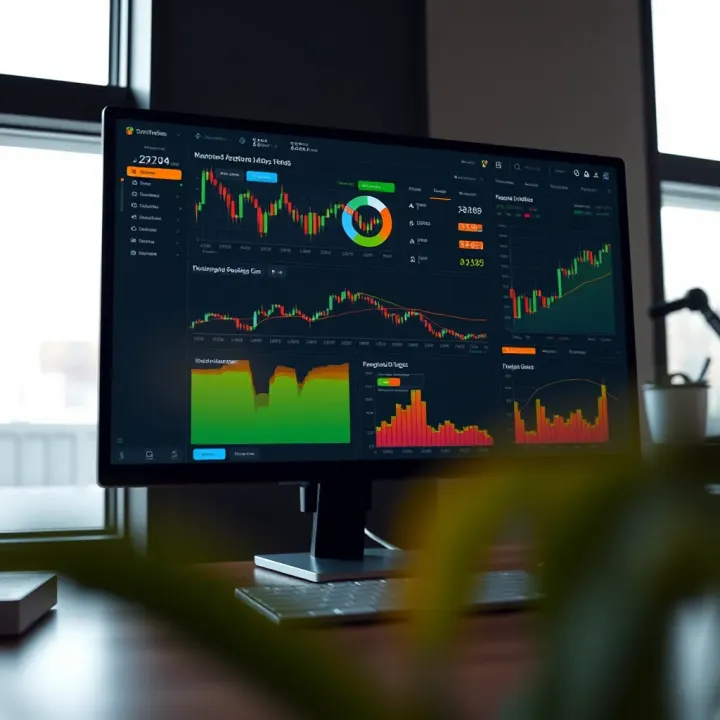
Understanding SmartTrader Features and Benefits
Discover SmartTrader's key features and benefits 💡 Insightful tips on trading in South Africa's market 🌍 Practical guidance for smart investing 📈
Edited By
Thomas Bennett
The Deriv TradingView app represents a practical integration between two popular trading tools: Deriv's platform and TradingView's charting software. Designed to offer traders a more streamlined experience, the app brings market analysis and trade execution into one accessible interface.
South African traders often juggle varying market conditions, data costs, and connectivity challenges. This app addresses some of those realities by providing a responsive, secure way to monitor price movements with TradingView's robust charts while placing trades directly through Deriv. Unlike toggling between different platforms or relying on less comprehensive mobile tools, users get real-time insights and swift execution.

Traders can customise charts with multiple indicators, spotting trends and key levels visually. These tools are vital when trading forex, commodities, or synthetic indices—popular among Deriv users. For example, a trader tracking the Rand against the US dollar (ZAR/USD) can instantly overlay moving averages and RSI (Relative Strength Index) indicators without leaving the app.
Using one app for both charting and trading cuts down delays between analysis and action, essential when markets swing swiftly, especially during volatile times like Eskom load-shedding or geopolitical events impacting commodities.
The app also caters to different experience levels, from novices learning pattern recognition to pro traders using advanced scripts on TradingView. It supports secure login options to protect sensitive account data and trading information, considering South Africa’s increasing focus on data privacy under POPIA.
Key aspects traders should consider include:
Compatibility: The app works across major mobile operating systems common in South Africa, ensuring access anywhere.
Security Measures: Two-factor authentication and encryption guard financial interactions.
Local Market Focus: While Deriv offers global markets, South African users can focus on instruments like Brent crude or gold, which have local economic impact.
Data Efficiency: Considering local data costs, the app is optimised to reduce unnecessary data usage while delivering timely updates.
In sum, the Deriv TradingView app fits neatly into modern trading habits, combining powerful analysis with practical execution. For South African traders looking to stay ahead without juggling multiple platforms, it’s a tool worth exploring.
The Deriv TradingView app offers a unique combination of Deriv’s trading infrastructure and TradingView’s charting technology, creating a powerful solution tailored for traders. This fusion allows seamless market analysis and trade execution without switching between platforms, streamlining the entire trading process. For South African traders dealing with currency fluctuations and busy schedules, the app presents a practical, user-friendly way to stay ahead.
Beyond simple convenience, the app aims to close the gap between sophisticated market insights and actionable trades. Instead of analysing charts on one platform and executing orders on another, users can do both within the same interface. This integration reduces errors and saves time, critical factors when market conditions change rapidly.
At the heart of the app lies the close integration between Deriv’s products—such as options, forex, and CFDs—and TradingView’s extensive charting capabilities. Traders can place orders directly from interactive charts, adjusting parameters in real-time as price movements unfold. For example, if the RSI indicator signals an overbought condition, a trader can promptly set a sell order without leaving the chart view.
This tight integration caters to an efficient workflow. Users benefit from Deriv’s reliable trading engine combined with TradingView’s intuitive chart display and technical overlays. Unlike juggling multiple tabs or apps, everything happens in one place, helping users react faster to market opportunities.
The app provides live market data feeds, ensuring that price charts, indicators, and order books reflect the most current market conditions. For South African traders, this means keeping close tabs on both local assets like the JSE Top 40 index and global commodities such as gold or oil without lag.
Besides raw data, the app includes various analytical tools—trend lines, Fibonacci retracements, volume profiles—that traders use to identify patterns and set entry or exit points. Real-time alerts can notify users about significant moves or when conditions they specified occur, which is valuable when away from one’s desk.
For those new to trading, the app offers an accessible introduction to market analysis without overwhelming complexity. TradingView’s clean interface and drag-and-drop tools make learning technical analysis easier. Coupled with Deriv’s straightforward order execution, beginners can build confidence gradually.
Moreover, beginner traders benefit from pre-built indicators and tutorials available within TradingView’s ecosystem. This helps demystify the jargon and supports practical learning by doing. Unlike some platforms laden with excessive options and clunky menus, the Deriv TradingView app strikes a balance between power and simplicity.
Seasoned traders will appreciate the advanced customisation available in chart setups, multiple indicator overlays, and fast trade execution directly from charts. They can fine-tune strategies, apply algorithmic alerts, or use complex order types where needed.
The app fits neatly into professional workflows by cutting down on platform switching and providing a fast, stable environment for both technical analysis and immediate trade entry. For instance, a forex trader monitoring multiple currency pairs can watch live price action across different timeframes and execute hedging orders quickly.
In short, the Deriv TradingView app suits anyone from the casual, learning trader to the professional who requires speed and advanced tools, all within a single, integrated platform.

The Deriv TradingView app brings together powerful tools that traders need daily to analyse and execute trades in a tight package. Its key features not only streamline the trading process but also enhance decision-making with expert-level insights and efficient trade execution—all without juggling multiple platforms. Let’s unpack some of the core functionalities.
Traders gain direct access to TradingView’s massive library of technical indicators, ranging from classic ones like Moving Averages and RSI to less common but insightful tools such as Ichimoku Clouds or Volume Profile. This broad selection lets you customise your analysis to fit your specific strategy, whether you're scouring for trend reversals or gauging market momentum. For example, a day trader in Johannesburg might use Bollinger Bands during volatile sessions to spot potential breakouts early.
On top of that, the app offers highly customisable charts where you can draw support and resistance lines, Fibonacci retracements, or trend channels directly on the visuals. The drawing tools work seamlessly across devices, allowing you to mark patterns or key levels during your mobile commute and carry that analysis over to your desktop without missing a beat. This flexibility helps traders track setups intuitively and react quickly to market moves.
One of the standout features is the ability to place trades straight from the charts without flipping between windows or apps. This is a major time-saver—when a trend lines up with your plan, you can enter or exit positions in seconds, reducing the risk of missing out due to platform lag or distractions. Imagine spotting a bullish engulfing candle on the EUR/USD pair and instantly clicking to open a buy order, all while keeping your eyes glued to the live price action.
Moreover, the app supports a variety of order types including market, limit, and stop orders, giving traders precision control over entries and exits. Speed of execution is crucial, especially during heavy market moves, and the integration ensures orders reach Deriv's servers fast enough to act on those opportunities. For instance, scalpers relying on split-second moves find this setup indispensable, especially given the sometimes unpredictable nature of currency pairs or indices.
The user interface is clean and intuitive, making navigation fluid whether you’re on a smartphone or desktop. Menus and trade execution buttons are thoughtfully placed, which means less fumbling around and more focus on what matters—your trading decisions. Especially for South African traders who might switch between devices during the day, this consistency is a big plus.
Performance-wise, the app is responsive, keeping charts smooth and updating data in near-real time even on mobile networks that might not be top-tier. It manages resources efficiently so it won’t hog your data or battery—a consideration during long trading sessions or when on the move in areas with patchy coverage. This balance of speed and low resource use means traders stay connected without the usual headaches, whether in Cape Town during a braai or stuck in traffic near Sandton.
Access to real-time, reliable data combined with swift, straightforward execution is what makes the Deriv TradingView app a solid tool for anyone serious about trading in South Africa or beyond.
Getting started with the Deriv TradingView app is a straightforward process that can help traders take full advantage of its integrated charting and trading capabilities. This section guides you through the essential steps—from downloading and installing the app, connecting your Deriv account securely, to executing your first trade. Mastering these will help you trade efficiently without hopping between platforms.
You can access the Deriv TradingView app via multiple platforms tailored to your preference. For iOS users, download it from the Apple App Store, while Android users can find it on Google Play. Alternatively, the app is available as a web platform, accessible directly through your browser without installation. This flexibility ensures you can trade from your desktop, tablet, or mobile device with ease.
Installation requires a device running a recent operating system version — generally iOS 13 or later, Android 8 or later, and an updated web browser for the online version. Once installed or accessed, the app prompts you through the basic setup, ensuring minimal fuss and no technical headaches.
Linking your Deriv account to the TradingView app follows a secure process designed to keep your credentials safe. Upon first launch, you'll be asked to enter your Deriv login details. The app uses encrypted connections, so your password and personal information stay protected even on public Wi-Fi, a common setting for those trading on the move.
Once connected, you can manage your account settings directly within the app. This means updating profile details, review trading limits, or adjust risk parameters without switching back to the main Deriv website. Convenient controls like these help you maintain oversight, which is crucial in fast-moving markets.
Before placing your first trade, you need to select the right asset and customise your chart view to suit your trading style. The app offers a broad range of assets from forex pairs to commodities and cryptocurrencies. Pair this with TradingView’s flexible chart setups — such as candlestick or line charts — and you can spot market trends easily and make informed decisions.
Once you identify a trade opportunity, the app allows you to confirm your order quickly. You can monitor open positions in real time, with straightforward tools for setting stop losses and take profit levels. This hands-on approach ensures you stay in control throughout your trade, which is vital for managing risk effectively.
The smooth transition from analysis to execution in the Deriv TradingView app means you save precious seconds, which can be the difference between profit and loss in volatile markets.
Getting familiar with these steps makes the app an indispensable tool for traders aiming to combine sharp market insights with timely trade execution.
For South African traders, understanding both the benefits and limitations of the Deriv TradingView app is essential. The app provides a gateway to a wide range of assets and markets but also presents unique practical challenges shaped by local conditions such as rand volatility, regulatory requirements, and connectivity issues.
South African traders gain access to a broad asset base through the Deriv TradingView app. This includes forex pairs, indices, commodities, and synthetic indices, many of which can be traded in multiple global markets. Having exposure to global equities and currency pairs allows local traders to diversify portfolios beyond the JSE, which is particularly useful given the sometimes limited availability of certain international products on local platforms.
The presence of synthetic indices and commodities offers alternatives when local markets are closed or volatile. For instance, trading gold or oil contracts during off-market hours can still present meaningful opportunities. This variety helps traders stay active and adapt to different market conditions.
One key local consideration is rand volatility. The South African rand’s value fluctuates significantly against major currencies like the US dollar and euro. This can affect the cost of trading international assets and influence profit margins. Traders need to keep an eye on exchange rate movements since a favourable forex rate can amplify returns, while adverse swings may erode them.
The Deriv TradingView app complies with financial regulations that apply in South Africa, helping to provide a degree of trustworthiness. While Deriv operates offshore, it observes relevant guidelines intended to protect South African clients. This includes responsible conduct regarding fair trading practices and ensuring transparency about risks involved.
On data protection and security, the app uses encryption to safeguard sensitive user information and trading data. Given concerns about cybercrime and data breaches locally, these measures offer peace of mind. For example, south Africans activating two-factor authentication (2FA) add a useful extra layer of defence against unauthorised access. Users should always ensure their devices have updated security software and avoid accessing the app over unsecured public Wi-Fi networks.
Internet connectivity remains an intermittent challenge in parts of South Africa. The app’s performance depends heavily on a stable, reasonably fast connection. In areas with slow speeds or frequent dropouts, real-time charting and trade execution can lag, increasing risk.
Besides, data costs can add up quickly for traders relying on mobile networks, especially when streaming live market data. Efficient use of data-saving settings within the app or trading Wi-Fi-enabled locations where possible helps manage this expense.
Local payment options for funding and withdrawal may not always be straightforward. While the app supports popular international and some local methods, South Africans often prefer platforms that integrate seamlessly with local banks or services like EFT, SnapScan, or Zapper. Users may sometimes face delays or extra fees depending on the payment method chosen, making it essential to research the most cost-effective option beforehand.
South African traders need to weigh the app’s robust global market access against local realities like rand fluctuations, connectivity, and payment methods. Awareness of these factors helps manage expectations and trade smarter.
Overall, the Deriv TradingView app provides a solid platform for South African traders but requires cautious navigation around local challenges for best results.
Maximising success with the Deriv TradingView app means more than just knowing how to place trades. It involves understanding the tools at hand, managing your risks properly, and staying alert to market swings. The app offers several features designed to support these efforts, but using them wisely is key. With practical tips on technical analysis, risk control, and market updates, you can improve your trading outcomes and avoid common pitfalls.
Indicators are powerful, yet their effectiveness depends on how well you apply them. Instead of cluttering your chart with every available tool, focus on a few that suit your trading style and the asset class. For example, a swing trader on the Deriv app might rely on moving averages and the RSI (Relative Strength Index) to spot overbought or oversold conditions. This targeted approach helps avoid mixed signals and makes decisions clearer.
Chart patterns like head and shoulders, double tops, or flags offer visual clues about possible price movements. By recognising these on TradingView's charts within the app, traders can anticipate trend reversals or continuations before placing trades. For instance, spotting a bullish flag pattern in a forex pair might guide you to enter a trade before a breakout, improving your entry price and profit potential.
The app allows you to set stop losses and take profit levels directly on your charts. This is essential because it locks in your maximum acceptable loss and your desired gain automatically, even if you’re away from the screen. For example, if you trade the JSE Top 40 ETF, placing a stop loss at 3% below your entry price limits your downside, keeping your emotions in check during sudden moves.
Effective risk management means not putting all your eggs in one basket. The app makes it easy to diversify your trades across indices, forex, commodities, and cryptocurrencies. Monitoring your exposure on each asset class helps prevent heavy losses if a single market turns against you. In practice, a trader might allocate 50% of their capital to South African equity indices and spread the rest over global assets like oil and gold to balance risk.
The Deriv TradingView app shows relevant financial news and allows custom alerts based on your watchlist. This timely info can prevent surprises by signalling shifts in market sentiment. For example, a sudden announcement about interest rates from the South African Reserve Bank could affect the rand, which the app can flag with an alert so you’re ready to adjust your trades.
Keeping an eye on local economic indicators like inflation rates or mining output helps align your trades with fundamentals. On the other hand, global events such as US Federal Reserve decisions or oil supply disruptions also influence markets that South African traders watch closely. The app’s calendar feature can remind you of these events, so you can plan trades more strategically rather than react later.
Smart trading comes from combining good tools with disciplined strategies. The Deriv TradingView app offers the features to support this, but your success depends on how well you make use of them. By focusing on technical analysis, managing risks carefully, and staying informed, you stand a better chance in South Africa’s fast-moving markets.
Discover SmartTrader's key features and benefits 💡 Insightful tips on trading in South Africa's market 🌍 Practical guidance for smart investing 📈
Explore RobotRader APK 📲: key features, step-by-step installation, security tips 🔒, and user support to navigate automated trading in South Africa 🇿🇦.

🔒 Explore the RoboForex Members Area – manage funds, access various trading platforms, set up accounts, and benefit from strong security and handy tools!

🔑 Learn how Robotrader license keys work, their benefits, activation tips, security, renewals, troubleshooting, and licensing rules for South African users.
Based on 9 reviews