

How to Trade Deriv Binary Options on TradingView
📊 Learn how to trade Deriv binary options on TradingView with practical tips, setup guidance, and chart tools tailored for South African traders.
Edited By
Chloe Richardson
Integrating Deriv’s trading capabilities with TradingView charts arms traders with an edge: real-time, interactive visual data alongside live trading functionality. For South African traders working against the background of market volatility, data costs, and the occasional Eskom loadshedding, combining these platforms optimises decision-making and response times.
Deriv offers straightforward access to various financial instruments, from forex and commodities to synthetic indices, with an API designed to support automated and manual trading. TradingView stands out for its superior charting tools, an extensive community script library, and powerful indicators. The union of these platforms allows traders to execute trades directly while analysing market trends through rich, customisable graphics.
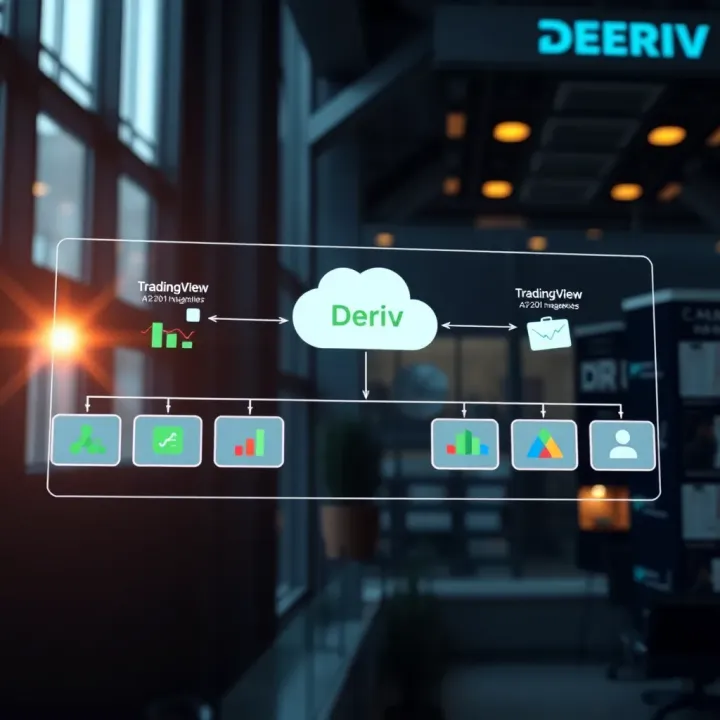
This practical guide breaks down the essentials:
Fundamentals of each platform and their complementary strengths
The integration process, covering API usage and setup
Technical considerations such as authentication and data synchronisation
Tips for enhancing your trading strategy once integration is live
Combining Deriv with TradingView is not just a technical task but a strategic move that can deepen market insight and streamline execution.
Understanding how these platforms fit together places users in control. Whether you are an independent trader, a broker advising clients, or an analyst modelling scenarios, this knowledge helps you navigate fast-moving markets with confidence. South African investors, in particular, benefit from the low bandwidth demands of Deriv’s trading system paired with the rich visualisation TradingView provides, offering a robust setup even under challenging connectivity conditions.
Next, we’ll explore the foundational features of Deriv and TradingView, giving you a clear grasp of what each brings to the table before diving into integration specifics.
Understanding both Deriv and TradingView platforms sets a solid foundation for anyone looking to bring trading capabilities and advanced charting together. Deriv offers a flexible trading environment, while TradingView provides powerful charting and scripting tools. Getting to grips with how these platforms work individually ensures you can smoothly merge them to create a system tailored to your trading style.
Deriv accommodates different trader profiles through several account types, including demo, synthetic indices, and financial markets accounts. For example, synthetic indices on Deriv run 24/7 and are popular for algorithmic strategies, while financial accounts provide access to forex, stocks, and commodities. Knowing which account type suits your needs directly influences integration choices, especially since API access and trading options can vary.
Among Deriv’s features, its real-time price feeds and extensive contract types stand out. The platform supports contracts for difference (CFDs), multipliers, and options, which offer diverse ways to implement automated strategies. Features like built-in risk management tools (stop-loss, take-profit) are vital to consider when connecting to external charting platforms like TradingView to ensure proper order execution.
Deriv provides a well-documented API for programmatic trading and data retrieval. Developers can authenticate securely and execute trades, check account balances, and monitor positions through REST and WebSocket APIs. These resources are essential for bridging TradingView alerts with live Deriv trading, making automated order routing possible. Real-world use cases show traders coding middleware in Python or Node.js to translate TradingView signals into actionable trades.
TradingView offers comprehensive chart types such as candlestick, line, and bar charts, with hundreds of built-in indicators like RSI, MACD, and Bollinger Bands. Users can combine these indicators or customise them to suit specific strategies. Accurate and timely visual analysis on TradingView guides better-triggered trades on Deriv, especially when precision timing matters.
Pine Script is the native scripting language of TradingView, designed for writing custom indicators and strategies. It’s straightforward, allowing traders to code alerts based on technical conditions without deep programming knowledge. For instance, a Pine Script strategy might send an alert when the 20-period moving average crosses above the 50-period, flagging a potential buy signal to be executed on Deriv.
TradingView allows alert notifications via webhooks — automated JSON messages sent to external servers. This feature enables seamless communication between TradingView-generated signals and broker APIs like Deriv’s. Traders can set alerts that trigger HTTP POST requests to middleware, which then converts these into trading commands. This native support significantly reduces the complexity of integration and improves responsiveness.
Combining Deriv’s trading flexibility with TradingView’s robust charting tools provides traders a powerful workflow. Understanding each platform well is the first step before diving into technical integration.
Preparing your systems before integrating Deriv with TradingView is a vital step that ensures smooth, efficient trading operations. Without proper setup, traders risk miscommunications between platforms, delayed orders, or even failed transactions. For example, incorrect API permissions could cause your trade signals to be ignored or rejected. Taking time to prepare means fewer hiccups and more control over automated strategies.
Registration and authentication on Deriv's API platform is the starting point. You'll first need to create a developer account via Deriv’s portal, then authenticate with OAuth or token-based mechanisms to gain access. This authentication safeguards your account, preventing unauthorised trades. For instance, a trader setting up a bot needs to ensure their API token is valid and refreshed regularly to maintain connection stability.
Permissions needed for trading actions depend on your intended operations. Deriv’s API lets you assign scopes such as reading account info, executing trades, or withdrawing funds. Limiting permissions to only what's necessary reduces risk if keys fall into the wrong hands. Say you want your integration solely to place binary options trades — requesting withdrawal access would be excessive and unsafe.
Managing API keys securely can't be overstated. Store keys in encrypted vaults or environment variables rather than hardcoding them. Rotate API keys periodically, especially after personnel changes. In a case where a key was accidentally leaked via a public repository, immediate revocation would prevent malicious use. Employing access logs helps detect suspicious activity early.
Using TradingView’s webhook system allows TradingView alerts to trigger actions outside the platform. These webhooks send HTTP requests with alert data to your server or middleware. For practical use, a break-even alert could fire off a webhook that prompts Deriv to close a position automatically. This real-time link between chart signals and trade execution streamlines response times.
Custom scripts to trigger orders supplement webhooks by parsing alert messages and converting them into API commands. TradingView’s Pine Script supports annotations on when to buy, sell, or adjust trades. Some traders write scripts that include entry prices and stop-loss levels, which custom middleware reads and acts on. This tight integration sharpens strategy precision.
Limitations and compliance aspects are often overlooked but essential. TradingView doesn't natively execute trades, so integration relies on third-party servers or middleware, which must comply with regulatory standards like FICA (Financial Intelligence Centre Act) within South Africa. Additionally, alert frequency and order rates should not exceed provider limits to avoid account suspension. Traders must consider such rules when designing integration workflows.
Proper setup before linking Deriv and TradingView not only improves reliability but also helps manage risks and ensures compliance with trading regulations.
Preparing carefully saves time and headaches later, allowing you to focus on what really matters—making informed trades based on sharp analysis.
Integrating Deriv trading functions with TradingView is a hands-on process requiring a solid technical approach. This stage connects TradingView's alerts to executable trades on Deriv, allowing traders to automate and streamline their strategy execution. It bridges the gap between chart-based signals and real-world action, saving time and minimising manual errors.
Creating and configuring TradingView alerts is where traders set specific conditions for trade triggers. For instance, a trader might set an alert for when the RSI indicator crosses above 70, signalling overbought conditions. Configuring these alerts properly means the system can notify downstream services the moment this happens. Alerts need to be precise to avoid false triggers, which can waste capital or miss good opportunities.
Receiving alerts via webhook or middleman server translates these TradingView signals into a format usable by Deriv’s trading system. TradingView can send alerts directly to a webhook URL, but sometimes setting up a middleman server helps manage data flow, security, and logging. This server acts as the gatekeeper, validating each alert before passing it on. For example, it can filter out duplicate alerts or check whether market conditions still meet the trader’s risk parameters.
Translating alerts into API commands means converting TradingView’s alert data into the exact API calls Deriv requires to place trades. If an alert indicates to buy a specific forex pair, the middleware crafts the right POST request with parameters like trade amount, duration, and direction. This translation must handle edge cases such as session timeouts or rate limits to avoid rejected trades.
The role of middleware is crucial: it serves as the communication bridge between TradingView alerts and Deriv’s trading API. It manages security by safeguarding API keys and enables flexible message processing like batching or prioritising orders. Without middleware, the integration depends on direct alert-to-API connections, which tend to be brittle and harder to troubleshoot.
Recommended programming languages and frameworks for developing this middleware include Python and Node.js, thanks to their rich libraries for HTTP handling and JSON processing. Frameworks like Flask (Python) or Express (Node.js) let developers rapidly build REST APIs to receive webhook calls and forward commands. Their lightweight nature suits small servers or cloud functions typical in trading environments.
Error handling and retry mechanisms are vital to a reliable system. Trades must not be lost due to temporary glitches or network hiccups. Middleware can queue failed orders and attempt resend according to set rules. For example, if Deriv’s API is down briefly, the system could retry the command up to three times with increasing delay. Logging these errors also helps trace issues fast and keeps trading smooth.
Smooth, reliable communication between TradingView and Deriv underpins successful automated trading. Well-crafted middleware ensures timely, accurate orders with resilience against common disruptions.
Bringing Deriv’s trading capabilities together with TradingView’s charting tools offers a solid platform for refining your trading approaches. This combined setup isn’t just about linking two systems; it’s about making smarter decisions based on better signals and quicker execution. By syncing indicators, automating orders, and staying on top of live data, traders can reduce emotional reactions and sharpen their market moves.
Traders often blend moving averages like the 50-day and 200-day with momentum indicators such as the Relative Strength Index (RSI). For example, an RSI reading above 70 combined with a price crossing above the 200-day moving average may signal a strong buying opportunity. Using these indicators together helps filter noise and confirms trend strength before making a trade on Deriv.
Another common tactic includes combining Bollinger Bands with the MACD (Moving Average Convergence Divergence) to spot volatility breakouts and trend reversals. This combination suits short-term traders relying on TradingView to alert when price action matches these patterns, allowing timely Deriv trades.
Automation removes guesswork and delays when markets swing fast. With custom scripts on TradingView triggering alerts for specific indicator conditions, the system can immediately send orders to Deriv through the integration setup. For instance, a buy entry could auto-trigger when the 14-period RSI dips below 30 and then crosses back above it, signalling an oversold bounce.
Exit points can be automated equally well. Traders can set exit alerts based on price crossing back under a key moving average or hitting a predetermined profit target. This ensures trades close at planned levels, not reliant on constant manual watching.
Good risk control is the backbone of lasting trading success. Using TradingView, you can set alerts to place or adjust stop-loss and take-profit levels on Deriv trades dynamically. For example, a stop-loss could trail behind a moving average, moving upwards as the trade gains to lock in profits.
Such automation cuts down on human error and overexposure. Traders can define risk levels upfront and trust the integration to manage exits neatly according to market movement.
Effective monitoring is key when markets don’t wait. Developing dashboards that pull live trade status and chart signals together keeps all relevant info within sight. Push notifications or emails triggered by key events—like reaching stop-loss or a sudden high volatility phase—keep you in the loop even away from your screen.
This way, action can be taken swiftly, whether to adjust a strategy or pause trading during uncertain conditions.
Markets evolve and so must your approach. If the integration detects changing volatility or a shift in volume patterns, TradingView scripts can prompt re-evaluation or adjustment of trade parameters on Deriv.
For example, if a normally reliable moving average starts producing false signals during high volatility, the system might switch to a slower, more stable indicator set automatically or advise manual intervention.
High volatility tests every part of the trading chain. This setup needs to maintain quick execution and accurate data flow when market moves are sharpest. Redundancies like fallback servers for the middleware and robust error handling minimise order failures or delays.
Routine load testing and monitoring server response times help prepare for busy market conditions, so you’re not caught off guard by technical glitches when you least expect them.
Consistent optimisation, automatic rules, and real-time feedback form the pillars of a resilient trading strategy using Deriv and TradingView combined. This means fewer missed opportunities, less manual strain, and wiser risk management on the trading floor.
When integrating Deriv’s trading functions with TradingView’s platform, a smooth, reliable experience hinges on overcoming a few common challenges. Addressing these upfront can save traders from costly mistakes, missed trades, or data breaches. This section highlights the key hurdles and practical ways to manage them.
Latency, or the delay between sending an order and its execution, can seriously affect trade outcomes when timing is everything. Several factors contribute, including internet connection quality, server response times, and the efficiency of the middleware translating TradingView alerts into Deriv API calls. For example, a busy network during peak hours or a slow middleware script might cause a delay that turns a timely entry into a missed opportunity.
To minimise delays, start with optimising your internet setup—it’s worth using a fast, stable connection with minimal jitter and packet loss. Next, streamline the middleware code to reduce unnecessary processing steps. Consider hosting your middleware on a server geographically close to Deriv’s servers to cut down transmission lag. Also, employing asynchronous programming helps handle multiple alerts swiftly without bottlenecks.
Regular testing plays a big role in identifying latency issues. Use timestamp logs to measure the gap from alert triggering on TradingView to order execution on Deriv. Simulate high volumes of alerts to spot weak points under pressure. This testing process highlights areas for improvement before they cause real-world losses.
API credentials grant access to your trading account; if compromised, they pose significant risks. Protect these credentials by storing them encrypted in your middleware configuration files or using secure environment variables rather than hardcoding them. Avoid sharing keys in chat or unsecured platforms. Also, periodically rotate API keys where Deriv supports it, so if one leaks, its usefulness is limited.
Data privacy extends beyond credentials. Limit personal and trading data exposure by ensuring your middleware does not log sensitive details unnecessarily. When logs are required for debugging, anonymise or securely archive them. If your middleware uses third-party services, confirm they comply with POPIA (Protection of Personal Information Act) or similar standards.
Finally, have a contingency plan if your system fails or is breached. This might include disabling API keys remotely via your Deriv dashboard, fallback manual trading options, or automated alerts to notify you instantly of suspicious activity. Planning for failures means you won’t be caught off guard mid-trade.
By anticipating delays and securing your integration, you create a more dependable trading environment that lets you focus on strategy rather than firefighting technical problems.
In the end, addressing latency and security head-on helps maintain confidence and control when using Deriv and TradingView together, especially when market moves can be swift and unforgiving.
📊 Learn how to trade Deriv binary options on TradingView with practical tips, setup guidance, and chart tools tailored for South African traders.

📊 Understand how Deriv and TradingView offer South African traders smart tools for charting, analysis & trading to boost skill and sharpen strategies.
💸 Discover how to withdraw funds on Deriv with ease! Learn about methods, fees, processing times & tips tailored for South African traders. Safe & simple!
📈 Learn how to combine TradingView charts and tools with Deriv for smarter, safer trading in South Africa. Get tips on setup, analysis, and risk control to boost your strategies.
Based on 10 reviews